
Wait for Return, Then Ship Replacement
Use this when you want to verify the returned item before sending the replacement.
An Exchange (also called an RMA Exchange) allows customers to return a product and receive a replacement item instead of a refund. ShipEdge supports two types of exchanges to fit different business needs:
Exchanges help maintain customer satisfaction while ensuring inventory accuracy and proper product flow.
Start from a Shipped Order
Navigate to Shipped Orders and locate the order the customer wants to exchange. The order must be in SHIPPED status.
Initiate the Return
Click on the order to view details, then click “Initiate Returns”. This opens the return creation form.
Select Items to Return
Choose which SKUs the customer is returning. For each SKU:
Choose Exchange Type
In the Request Type field, select:
Configure the Replacement Order
The system automatically creates a replacement order based on the returned items:
Review and Edit the Exchange Order (Optional)
Click “Continue” to review the exchange order. You can modify:
Submit the Exchange
Click “Submit” to finalize the return form. The system creates the exchange:
Optional: Generate Return Label
If you want to provide a prepaid return label, check “Generate label” before submitting. The system creates a return shipping label and can email it to the customer.
Wait for Return, Then Ship Replacement
Use this when you want to verify the returned item before sending the replacement.
Best For:
How it works:
Warehouse Processing:
Ship Replacement Immediately
Use this for immediate customer satisfaction without waiting for the return.
Best For:
How it works:
Warehouse Processing:
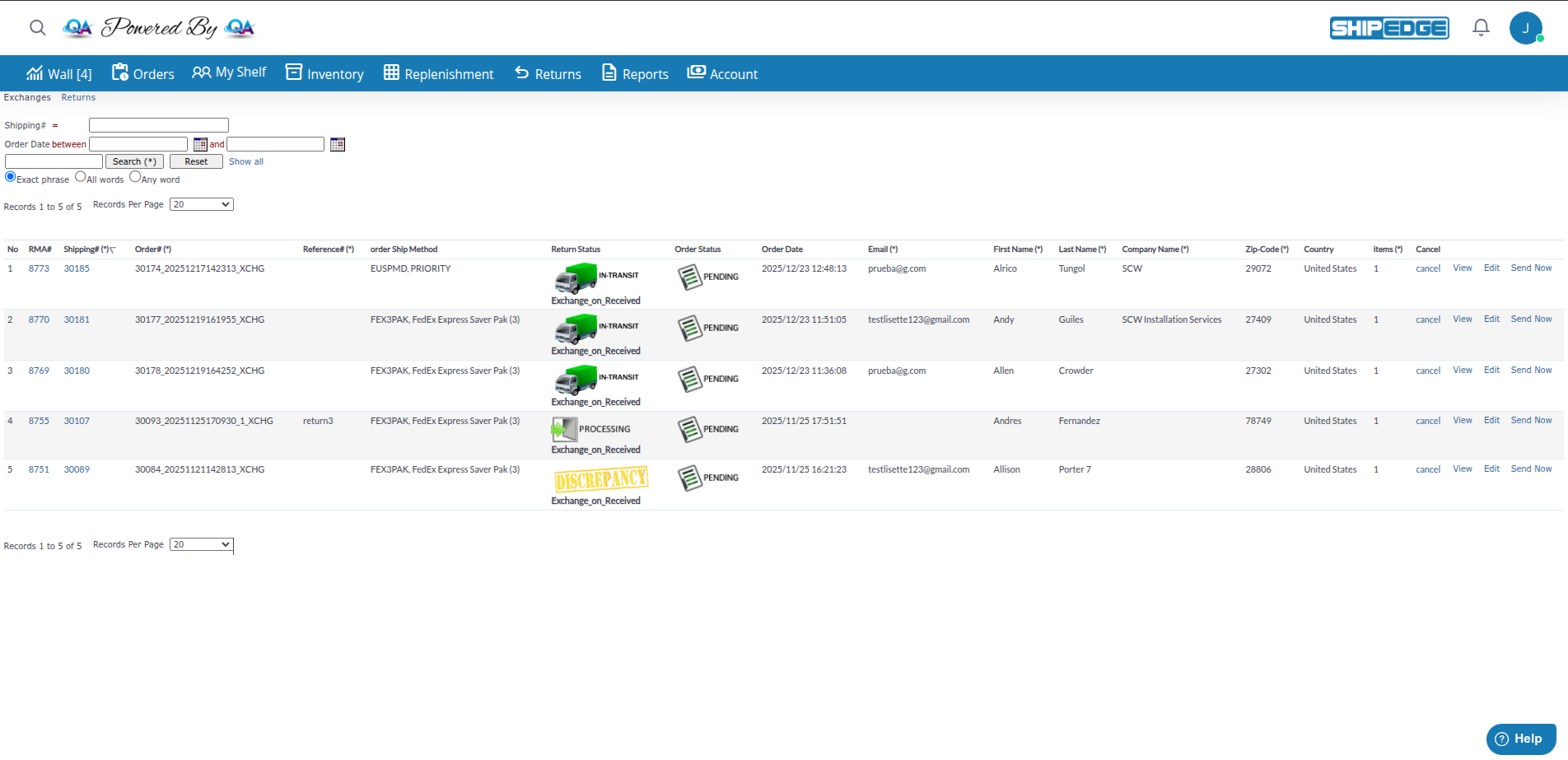
Access the exchanges list from Returns by clicking the Exchanges link in the page header.
Page Title: “Exchanges”
What You See:
Search Filters:
Replacement orders use the standard order workflow. In the “In Exchanges view” column from the table below, you can see which statuses are available in the Exchanges view or it is a process outside this view (follow it in All Orders, Shipped Orders, or warehouse).
| Status | Description | Next Action | In Exchanges view |
|---|---|---|---|
| PENDING | Exchange Now - ready for warehouse processing | Warehouse picks and packs | Yes |
| CANCELLED | Exchange was cancelled | No further action | Yes |
| EDITING | Exchange is being edited | Edit the exchange | Yes |
| PROCESSING | Warehouse is preparing the exchange | Warehouse ships order | Outside this view |
| SHIPPED | Exchange has been sent to customer | Customer receives item | Outside this view |
| HOLD | Exchange on Received - waiting for return to be processed | Warehouse processes return | Outside this view |
Every exchange is linked to its original return:
From the Return View:
From the Exchange View:
Situation: Customer ordered a jacket in size Medium but needs size Large. Your policy is to verify returns before sending replacements.
Process:
Timeline: Customer receives replacement 3-7 days after you receive their return.
Situation: Loyal customer received a defective product. You trust them and want to provide excellent service.
Process:
Timeline: Customer receives replacement 1-2 days after initiating the exchange.
Quickly resolve product issues without forcing customers to repurchase or wait for refunds.
Choose immediate shipment or wait for return based on your business policy.
Exchanges are automatically linked to the original return for complete audit trails.
Confirm shipping address before processing—customer may have moved since original order.
Use the RMA link to monitor both the return and the replacement order status.
For Exchange on Received, process returns quickly so the replacement ships without delay.
If the return doesn’t match expectations (wrong item, damaged), contact the customer before releasing an Exchange on Received.
Exchange Order Stuck in HOLD Status
Cause: Exchange on Received is waiting for the return to be processed.
Solution:
Can't Find the Exchange Order
Cause: Exchange might be in the wrong view or filtered out.
Solution:
Need to Cancel an Exchange
Cause: Customer changed their mind or issue was resolved differently.
Solution:
Wrong Product in Exchange Order
Cause: Exchange was created with the original SKUs but customer wants different products.
Solution: